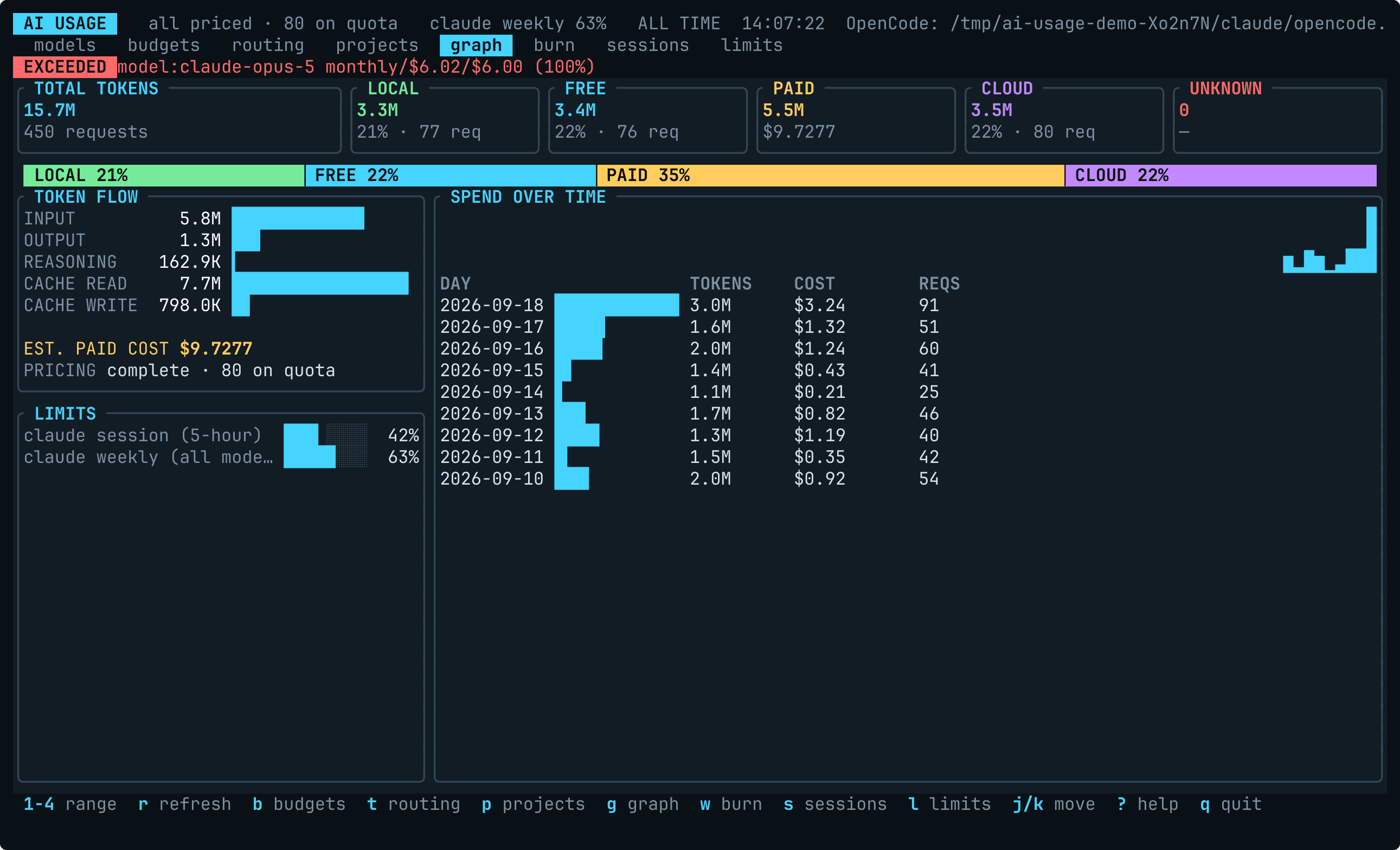
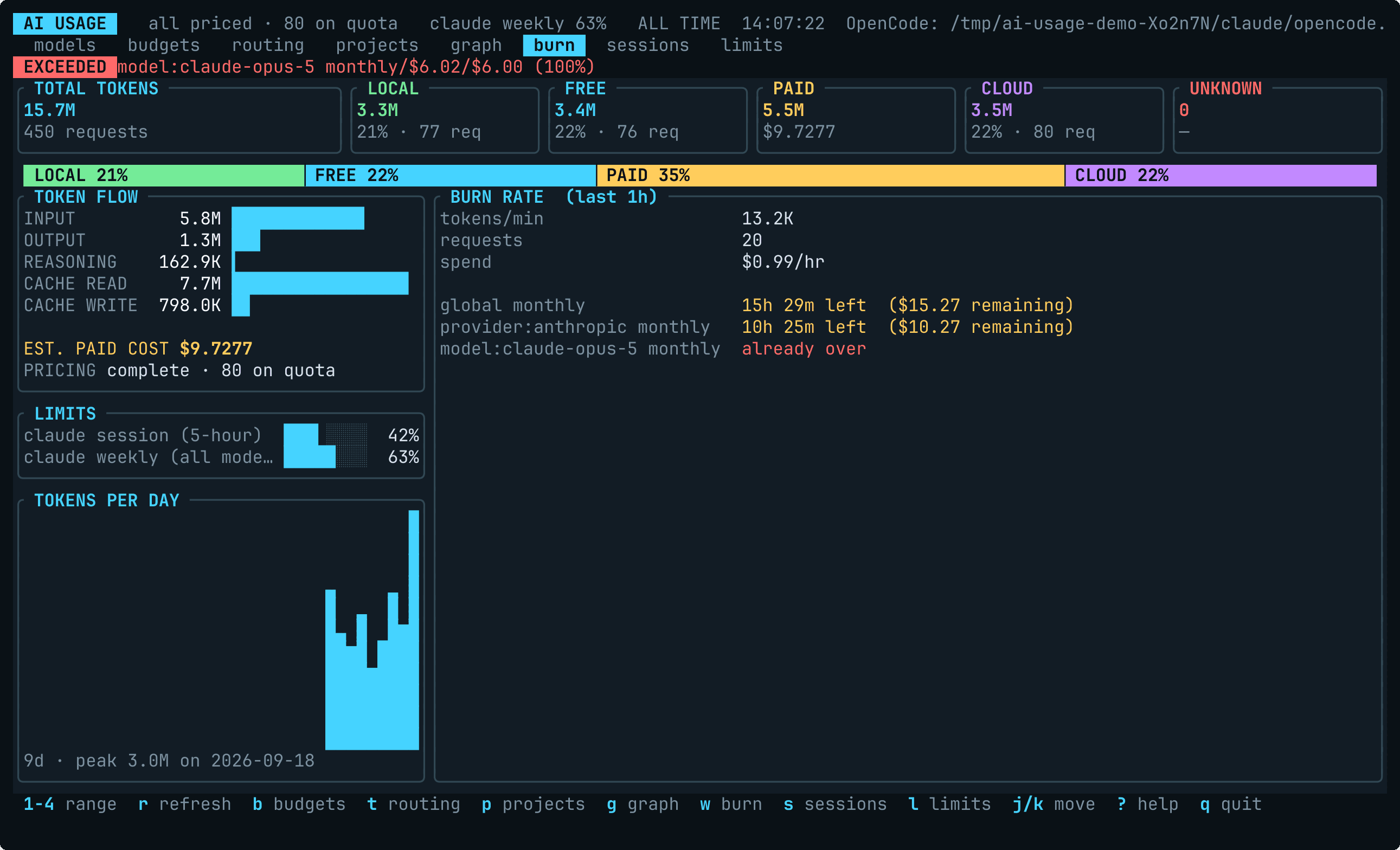
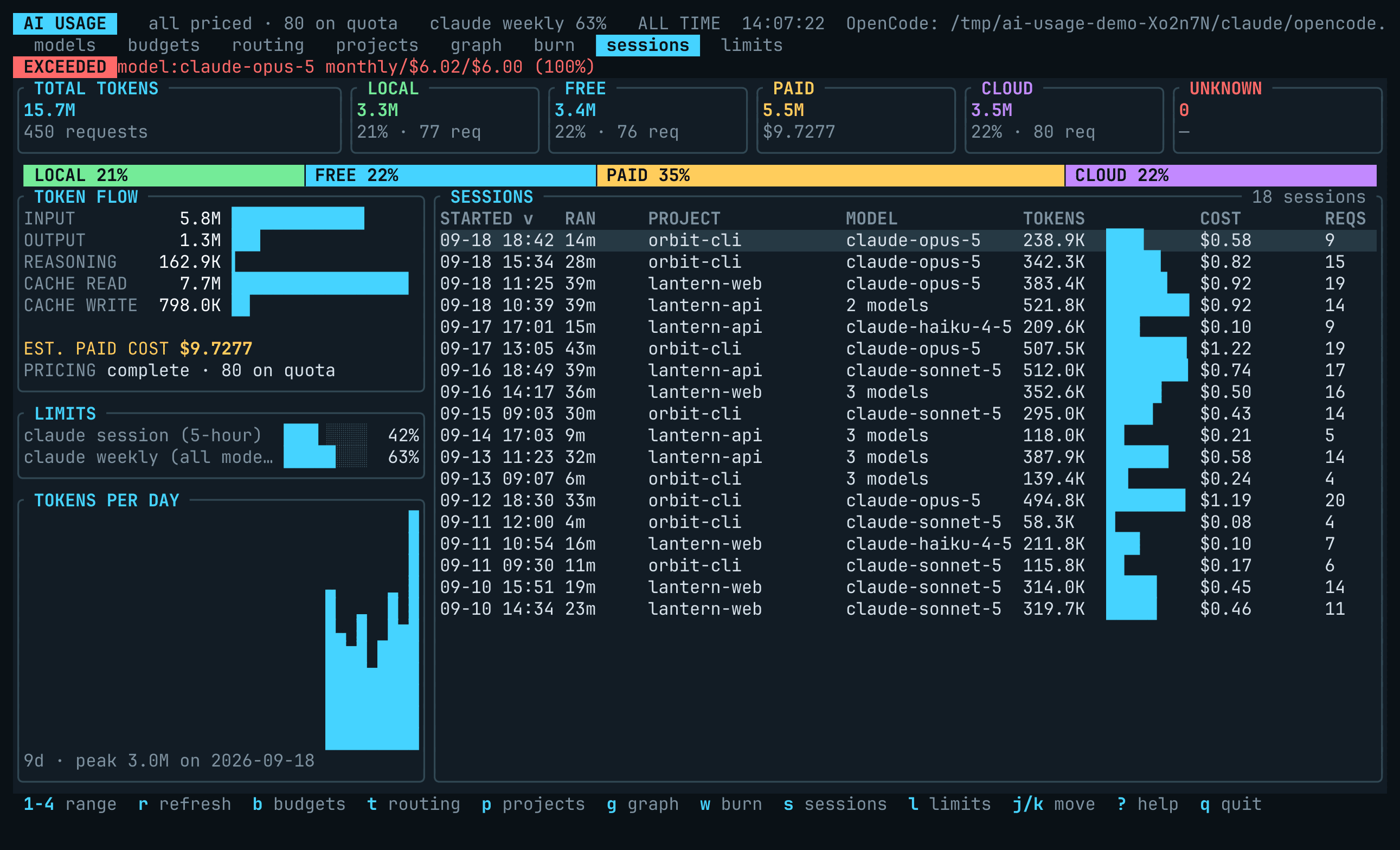
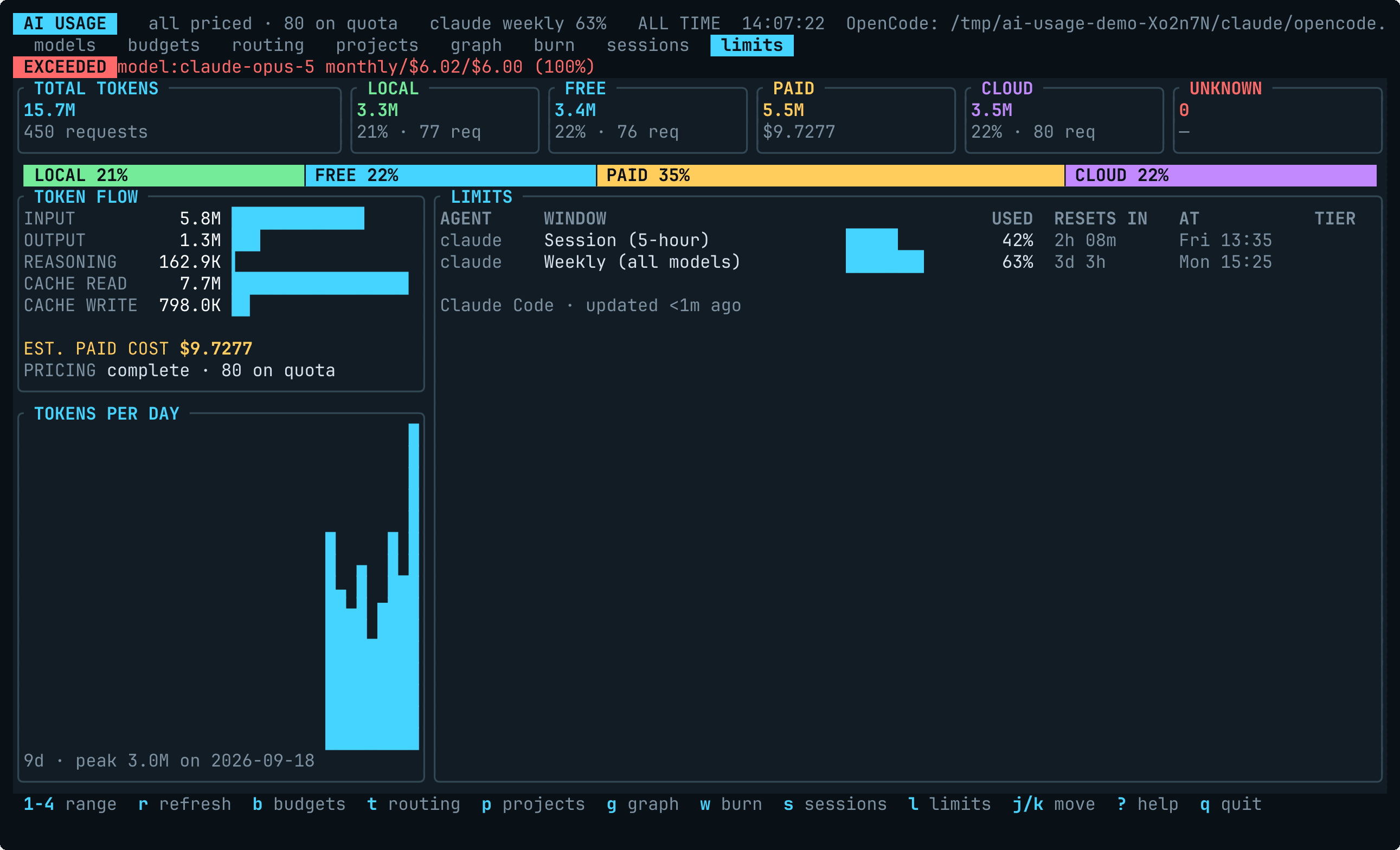
Interactive dashboard
Run without an output or action flag:
ai-usage-tui
ai-usage-tui --month --provider opencode
ai-usage-tui --days 14 --model qwen3-coder:30b
ai-usage-tui --refresh-interval 15
The dashboard refreshes every 30 seconds by default. OpenCode, Claude Code,
Codex, and journal collectors run in the background at their configured
intervals.
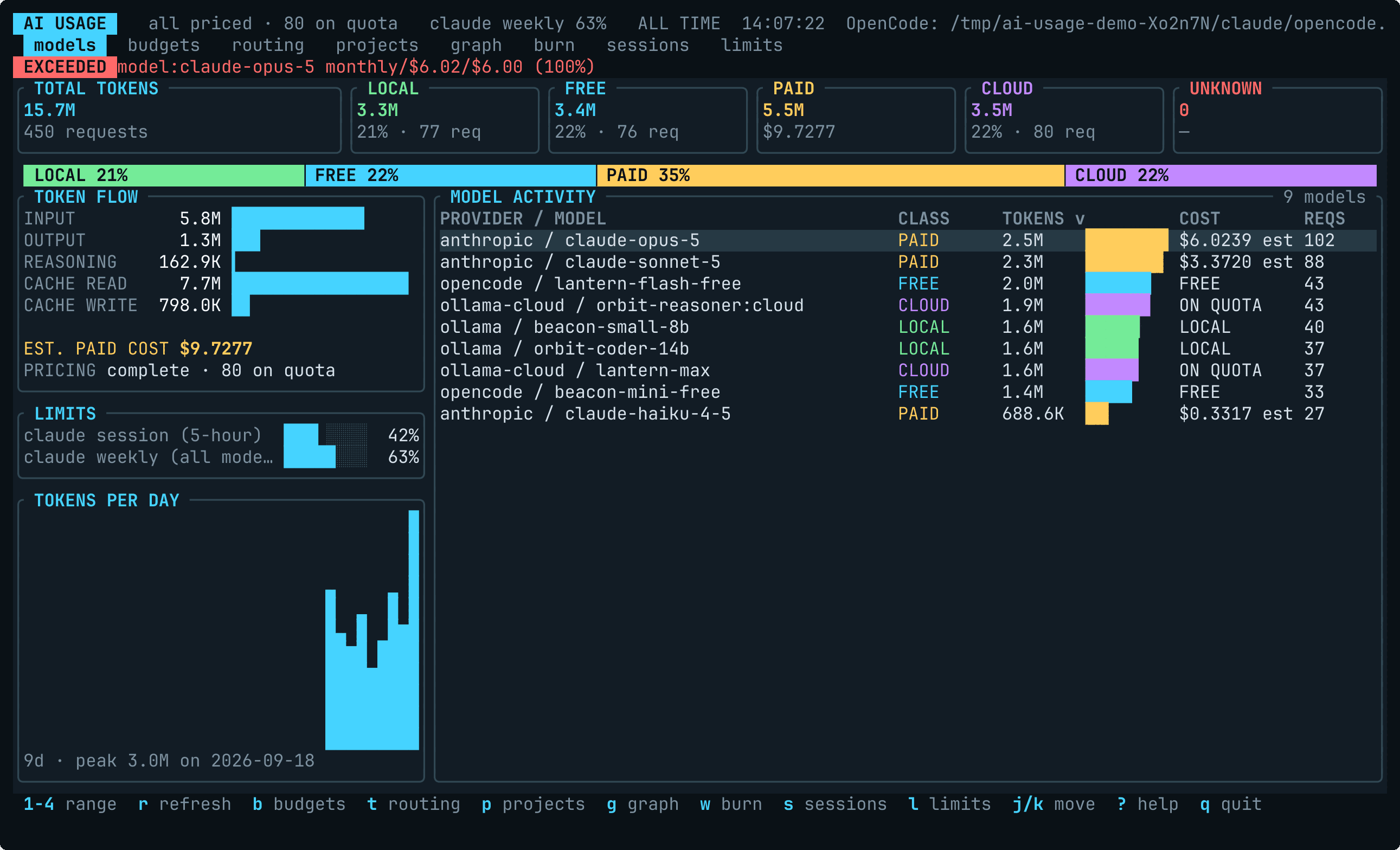
The main view has a tile per category with a strip under them dividing the
tokens between the categories, a left rail, and per-model activity. The rail
holds the token-flow breakdown, a meter for each subscription window, and
tokens per day; on a short terminal it drops whole sections from the bottom
rather than squeezing them. One other panel occupies the right-hand pane at a
time, the tab strip under the header says which, and ? lists every key.
| View |
Key |
What it answers |
| Model activity |
default |
Where did the tokens and the money go, by model |
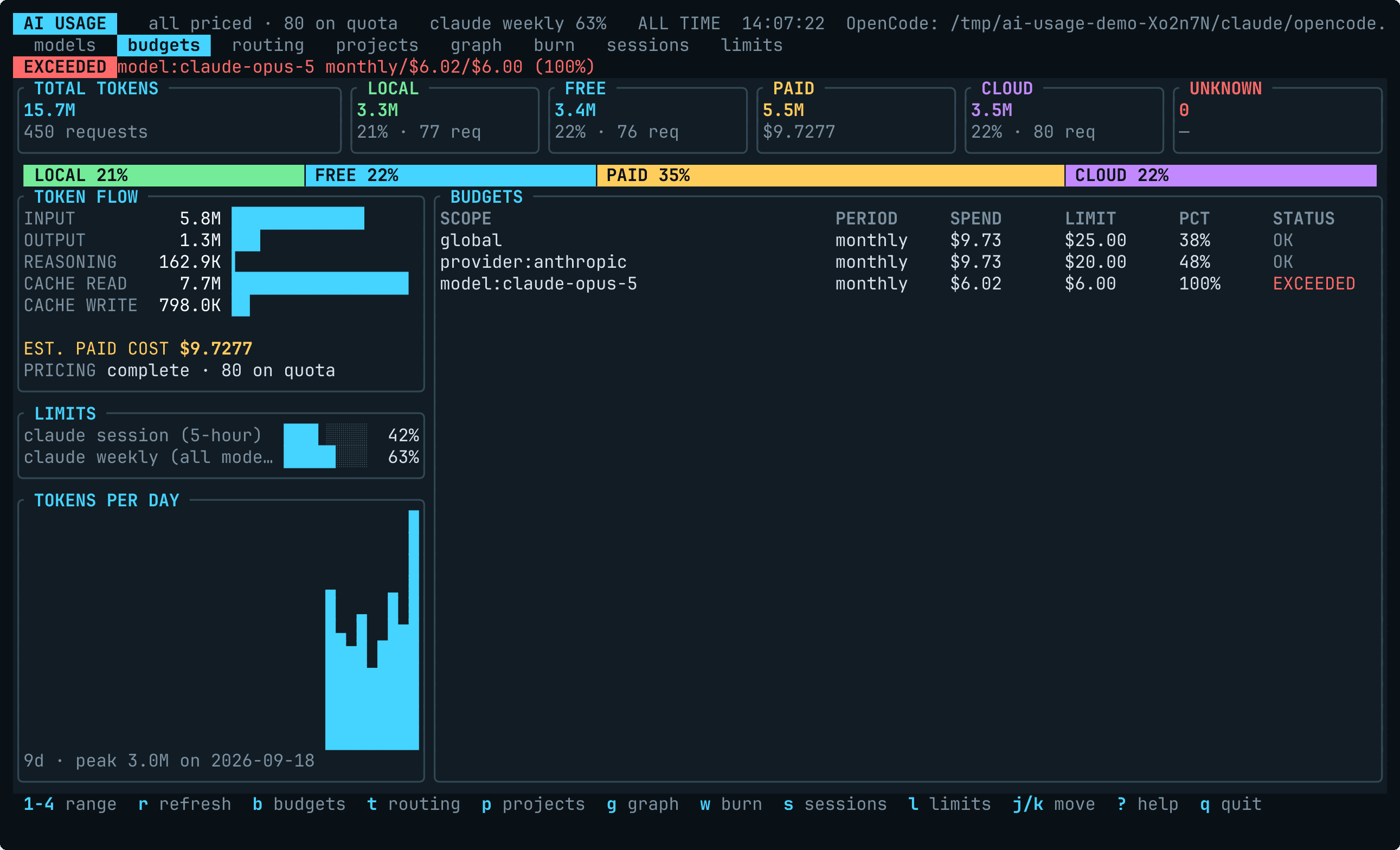
| Budgets |
b |
How close am I to a limit I set |
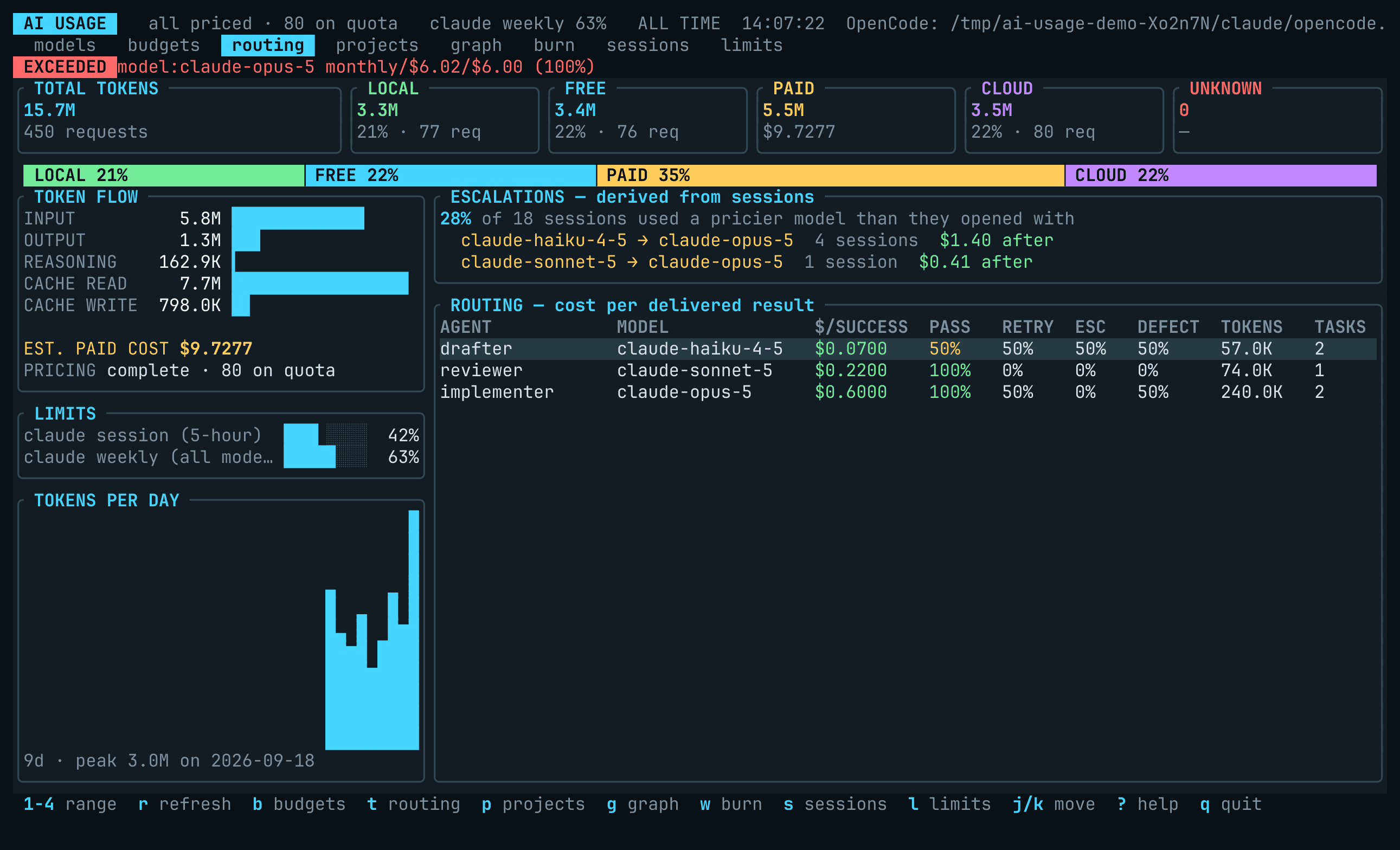
| Routing |
t |
Is the expensive model earning its cost, and how often do sessions escalate |
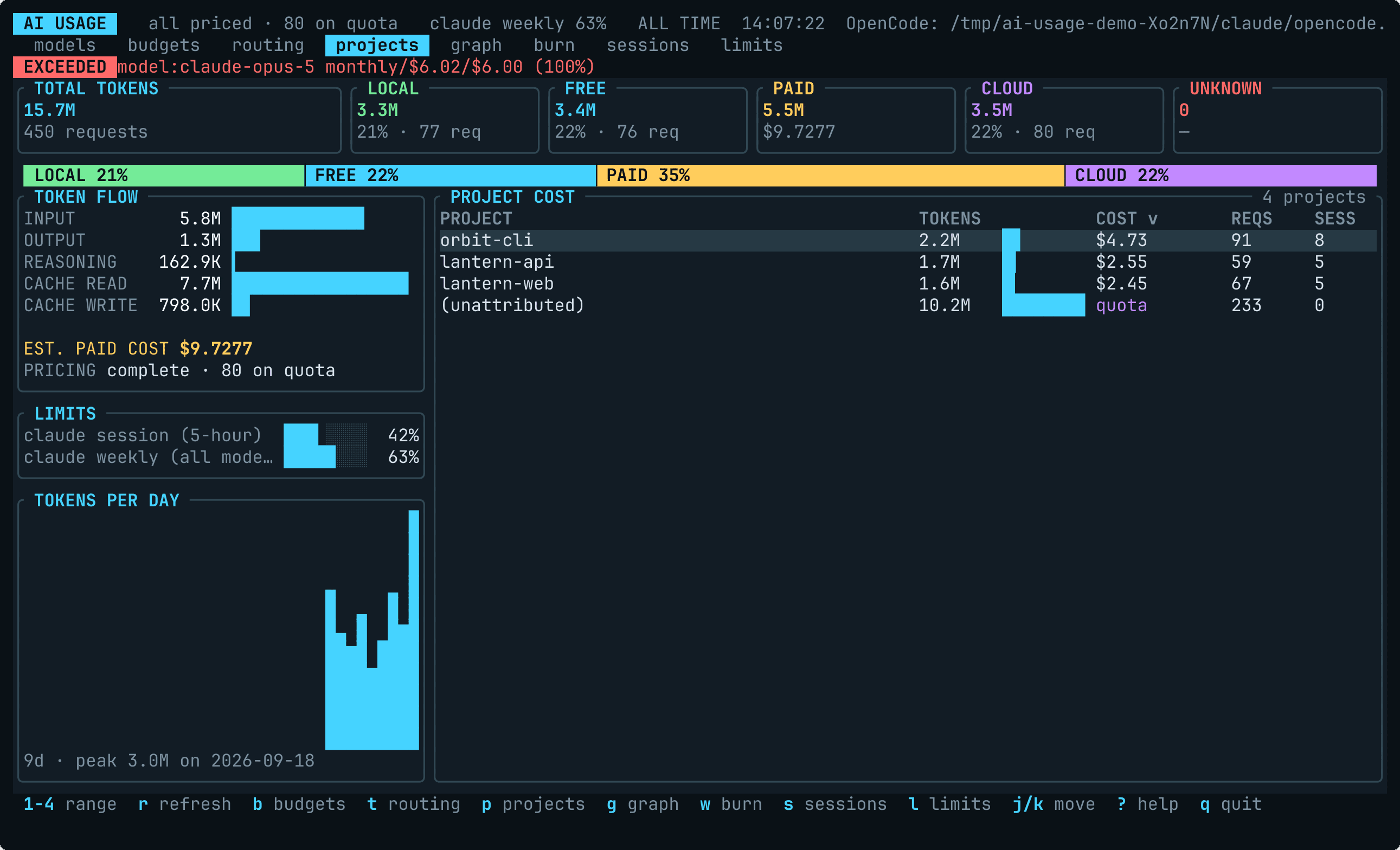
| Projects |
p |
Which repository is this spend attributable to |
| Spend over time |
g |
What does the trend look like day by day |
| Burn rate |
w |
At this rate, when do I hit my budget |
| Sessions |
s |
Which individual runs cost the most |
| Limits |
l |
Subscription windows from Claude Code’s cache and status line, Codex’s session logs and Omarchy’s agents panel: % used and reset countdown |
On a project row, Enter shows just that project’s sessions, and
Backspace (or Esc) goes back to the list where you left it. The sessions
panel names the project it is scoped to, so the two views cannot be mistaken for
each other.
< and > (or , and .) move the sort to the previous or next column of the
current panel, and o reverses it. The sorted column carries a v or ^ in its
header, so the order is never a mystery. Each panel keeps its own sort, and the
defaults are the orders these lists have always had.
Unknown cost sorts to one end rather than being interleaved as $0.00 — a row
whose price is unknown is not a cheap row.
/ filters the rows the current panel lists — model and provider names,
project paths, session ids and the models a session used. Enter keeps the
filter and hands the keyboard back; Esc clears it. The footer shows the query
and how many rows of how many are showing.
A filter changes what is listed, never what was spent: the header totals,
the pricing-coverage figure and the budgets are computed from the whole range
regardless. Use --provider / --model to narrow the data itself.
Esc backs out one step at a time — clear a filter, leave a project, then quit.
q and Ctrl-C always quit.
Subscription limits
The l panel shows each subscription’s rate-limit windows — how much of the 5-hour and weekly
allowances is gone, and when each resets. Four sources feed it: three need no configuring, and
the fourth is one line of Claude Code settings.
Claude Code’s own cache, on every platform. Claude Code records its subscription utilisation
in ~/.claude.json, and this reads it: the session window, the weekly window, and any per-model
weekly window, with the plan label beside them. Nothing is fetched and no credential is touched —
the figures are the ones Claude Code already had.
Exactly two keys are read: cachedUsageUtilization.fetchedAtMs, and the entries of
cachedUsageUtilization.utilization.limits. From each entry, only kind, percent, resets_at
and the scoped model’s display name. The document also holds an account identifier, your project
history and sibling per-window objects; none of it is deserialised, and a test plants a credential
in a fixture and fails if anything from the document reaches a record or stdout. fetchedAtMs
stamps the cache, so a reading older than 30 minutes is drawn dimmed and never raises an alarm —
a stale number is labelled, never presented as current. [collectors.claude_code] enabled = false
switches this off along with the rest of Claude Code’s files.
Claude Code’s status line, on every platform, once it is told to feed this.
ai-usage-tui --install-statusline registers ai-usage-tui --statusline as Claude Code’s
statusline command, and refuses if another program’s is already there;
contrib/claude-code/statusline-settings.json
is the block it merges, for doing it by hand. Claude Code then
hands it the official rate_limits block on every redraw, and again when a window reaches its
reset; the command prints a one-line readout for the status bar — 5h 42% (resets 2h 10m) · 7d 63% (resets 3d 4h), in red past 90% — and caches the windows under this tool’s data
directory for the panel. It is the only pushed source, and the only one that carries the spend
limit on a gateway plan. From the payload only the three windows’ used_percentage and
resets_at are read; the session id, transcript path, working directory, model and session cost
beside them are never deserialised. A payload without the block — an API-billed account, or a
session before its first response — prints nothing and leaves the cache alone; a window missing
from a payload is cleared from the panel rather than frozen at its last figure; a window whose
reset has passed is dropped when read. See
contrib/claude-code/README.md to install it.
Codex’s session logs, on every platform. On a ChatGPT plan every response Codex gets carries
the account’s windows, and the CLI writes them into the rollout beside each call’s token counts.
This reads the newest: the 5-hour and weekly windows, and any window a model has of its own,
labelled with the limit’s name. Only the three most recently written rollouts are looked at, and
only their last mebibyte, so a long history costs nothing on each refresh. An API key gets no
such headers and writes none, so there is nothing to show and nothing wrong. A reading older
than 30 minutes is dimmed, as Claude Code’s is. [collectors.codex] enabled = false switches it
off with the rest of Codex’s files.
Omarchy’s agents panel, on Omarchy — an Arch/Hyprland desktop whose bar
meters every AI coding subscription on the machine. It covers agents beyond Claude Code, and
--omarchy-record can publish this tool’s own usage back into that panel. On any other machine
this source is silently idle.
Where two describe the same subscription they are merged into one row rather than two: a
reading that has windows beats one that has none, then fresh beats stale, and between two fresh
readings the newer wins. [omarchy] limits = false turns the
whole panel off, every source included, [collectors.claude_code] enabled = false removes
both Claude Code readings, and [collectors.codex] enabled = false removes Codex’s. --doctor has a LIMITS section naming where each source was looked
for.
See docs/omarchy.md.